Agent Offboarding in a Custom Real Estate CRM: A Handover Checklist
👉 Book a free 30-minute Bitrix24 demo
When an agent leaves your brokerage, the visible part is simple: a farewell message, a returned laptop, a deactivated login. The invisible part is where the damage happens. Open leads go quiet, a landlord keeps calling a number that no longer answers, and half-finished offers sit in someone's personal WhatsApp. A good agent offboarding CRM real estate process makes sure none of that depends on one manager's memory.
This post is a practical handover checklist for UAE and GCC brokerages that run a custom real estate CRM. Everything here is a design recommendation: it describes what a tailored CRM or integration setup can be configured to do, not a built-in feature you will find switched on in any out-of-the-box product. Adapt it to your own team, your own pipelines and your own compliance obligations.
Why offboarding deserves its own process
Hiring gets a formal onboarding plan in most agencies. Leaving rarely does. Yet an agent's departure touches four things at the same time:
- Clients who expect continuity and should not feel passed around.
- Pipeline records such as leads, deals and viewings that still have a next step.
- Listings that carry the agent's name, number or reference on your website and on portals.
- Access to data, chats, files and shared inboxes that must be closed in a controlled way.
If any one of these is handled late, the cost lands on a client or a deal. A written checklist turns a stressful week into a routine task.
Step 1: Freeze and inventory before the last day
As soon as the notice period starts, ask the CRM for a clean inventory of what the agent owns. In a custom setup this can be a saved view or a simple report, grouped by record type.
- Open leads with no activity in a set number of days.
- Active deals by stage, with the next planned activity and its date.
- Scheduled viewings and calls in the coming two weeks.
- Listings assigned to the agent, split into exclusive and open.
- Landlord, owner and tenant contacts where the agent is the main point of contact.
- Open tasks and reminders, including renewals and document chases.
Export this list for the team leader as the master sheet.
Step 2: Decide who inherits what
Do not reassign everything to one person. Use rules that you write down once and apply every time.
Suggested reassignment rules
- Hot deals (offer stage and beyond) go to a named senior agent chosen by the team leader, with a joint call to the client where possible.
- Active leads are redistributed using your normal assignment logic. Our guide to lead scoring and assignment in a custom real estate CRM shows how to keep that fair and traceable.
- Exclusive listings go to an agent who knows the area, so the owner keeps a single clear contact.
- Cold leads and old contacts move into a shared nurture pool rather than a single person's list.
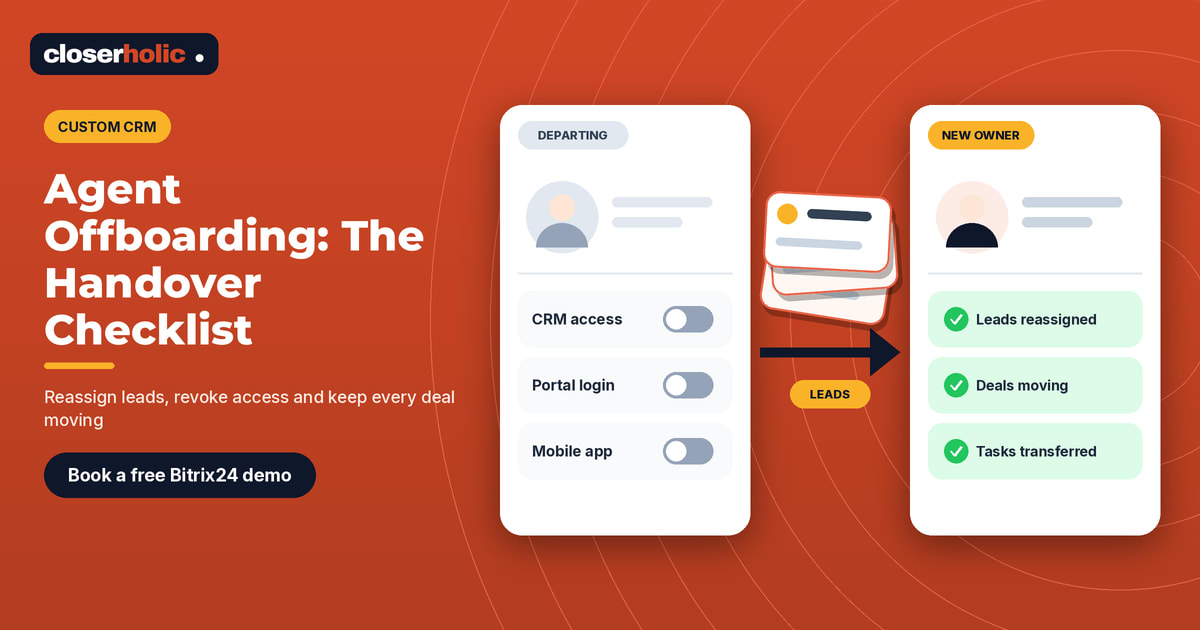
A custom CRM can be set up so that reassignment keeps the full history: notes, calls, messages and previous owners all stay on the record, with a visible "previously handled by" field. That protects the new owner from awkward questions the client has already answered.
Step 3: Write handover notes that a stranger can use
A reassigned deal with no context is a deal at risk. Ask the leaving agent to complete a short handover note on every active deal and every key owner contact. Five lines are enough:
- Where the client is in the decision, in one sentence.
- What was promised and by when.
- Any sensitivities (budget limits, family decisions, timing pressures, communication preferences).
- Documents received and still missing.
- The single next action and its date.
In a tailored CRM, this can be a required form that must be completed before a record can change owner. Required fields are a design choice you make with your developer, so decide early which ones are truly mandatory.
Want a handover form and reassignment rules built into your own CRM? Book a free 30-minute Bitrix24 demo and we will walk through how a custom setup can support it.
Step 4: Tell clients before they find out
Clients should hear about the change from you, not from a bounced message. Prepare a short, warm script for the new owner and the leaving agent.
- Thank the client for their time with the previous agent.
- Introduce the new contact by name, with the best way to reach them.
- Confirm that nothing already agreed will change.
- Offer a quick call or a viewing slot within the next few days.
Keep the tone calm and factual. Do not comment on why the agent is leaving.
Step 5: Clean up listings and public contact details
This is the step most often forgotten. Walk through every place where the agent's name, mobile number or photo might still appear.
- Listings on your own website and any agent profile page. See our notes on agent profile pages that win trust for what to keep or archive.
- Portal listings: reassign the listing contact according to each portal's current process, and check each portal's own rules before making changes.
- Email signatures, brochures, QR codes and social bios that point to the old number.
- WhatsApp business lines or shared numbers that were linked to the agent.
In a custom CRM, listing owner can be a single field that feeds your website and any portal integration, so one change in the CRM updates the public contact everywhere you publish from it.
Step 6: Close access in the right order
Access should be closed deliberately, not all at once and not weeks late. A sensible order is:
- Reassign first. Move records and tasks before touching the login.
- Export what is needed. Save any records the team leader asks for.
- Restrict, then deactivate. Reduce permissions on the last working day, then deactivate the account once the checklist is signed off. Our guide to Bitrix24 CRM access permissions for brokerages explains how to think about role-based access.
- Review connected tools. Email, calendar, messaging, telephony and any integration tokens linked to the user.
Check with your legal or compliance adviser on data retention and privacy obligations that apply to your business. This checklist does not replace that advice.
Step 7: Review after a week
A week after departure, run a short review. It takes ten minutes and catches almost everything that slipped.
- Are there any records still owned by the inactive user?
- Have all transferred deals had at least one activity from the new owner?
- Did any client or landlord reply to the old number or email?
- Are all listing contacts correct on the website and portals?
A simple offboarding scorecard
Give each departure a score out of seven, one point per step above: inventory, reassignment rules, handover notes, client communication, listings cleaned, access closed, one-week review. Anything under seven goes back to the team leader.
If you also track co-broke arrangements, make sure partner agent references move with the deal. Our post on co-broke deals in a custom real estate CRM covers the fields to keep clean.
How Closerholic helps
Closerholic designs custom real estate CRM setups for UAE brokerages, including handover forms, reassignment rules, owner fields and permission structures that follow your own process. We also implement Bitrix24 and connect it with your website and portal listings. If your current offboarding relies on spreadsheets and goodwill, a short conversation is the best place to start.