Duplicate Listings on Property Portals: How to Find and Fix Them from Your CRM
👉 Book a free 30-minute Bitrix24 demo
A buyer scrolls through a portal and sees the same apartment three times: different photos, slightly different titles, one listing a little older than the others, and all from your agency. To the buyer it looks careless. To your team it means three agents chasing the same enquiries, listing slots or credits used up on one unit and no clear owner when the landlord calls.
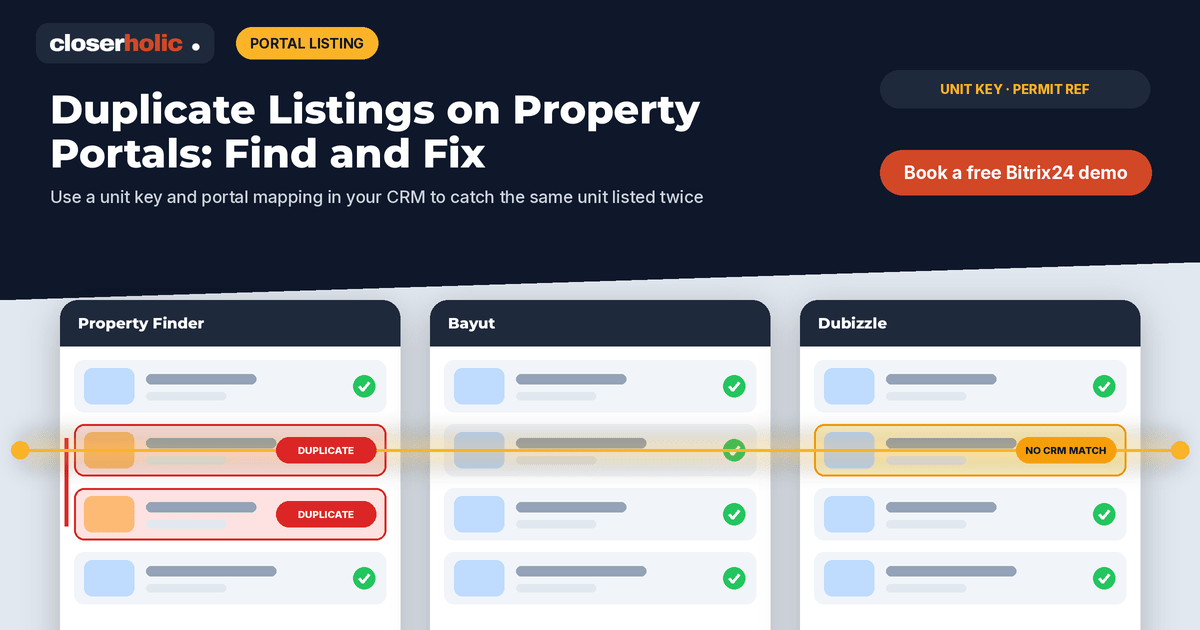
Duplicate listings on property portals rarely come from bad intentions. They come from relisting instead of editing, from two agents taking the same unit, or from a sale and a rental record that drift apart. The good news is that most of them can be prevented and cleaned up from one place: your CRM. This guide sets out how to find duplicates, how to decide which listing survives and how to stop them coming back.
A note before we start: each portal, including Property Finder, Bayut and Dubizzle, has its own listing quality and duplicate rules, and these change over time. Check each portal's current guidelines. This guide is about your own internal process.
Why duplicates happen
Understanding the cause tells you which fix you need. The usual suspects inside an agency are:
- Relisting instead of editing. An agent creates a new listing to look "fresh" rather than updating the existing one.
- Two agents, one unit. The owner speaks to two agents in the same agency, and both create a listing.
- Manual uploads alongside a feed. Someone posts directly on a portal while the CRM feed is also publishing the unit.
- Takedowns that never happened. An old listing for the same unit stays live after a new mandate starts.
- Free-text addresses. "Marina Gate 1" and "Marina Gate Tower 1" look like two different buildings to a system.
Duplicates across different agencies are a separate issue. If you handle open listings, our guide to managing exclusive and open listings covers how to record which agencies are marketing the same unit.
Step 1: Give every unit one identity
You cannot find duplicates if the CRM has no idea two records describe the same property. Define a unit key: a combination of fields that uniquely identifies a property. A common choice is community, building and unit number, all from picklists or validated fields rather than free text. For villas and townhouses, the plot or unit number within the community does the same job.
Add the permit or advertising reference as a second check where it applies. Two live listings carrying the same reference are a strong signal of a duplicate.
Step 2: Separate the unit from the listing
The cleanest structure keeps one record for the property and separate records for each listing of it: for sale, for rent, or a new mandate after an old one expired. Each listing links back to its property. This makes a legitimate situation, such as the same unit offered for sale and for rent at the owner's request, easy to tell apart from a genuine duplicate.
Then add a simple rule: one live listing per property, per purpose, per portal. Anything beyond that needs a reason recorded by a manager.
Step 3: Map CRM listings to portal listings
For every live listing, store the portal-side reference for each portal it appears on. With that map in place, you can answer two questions quickly: is anything live on a portal that has no matching CRM listing, and does any CRM listing appear more than once on the same portal? If you sync listings across Property Finder, Bayut and Dubizzle from the CRM, this mapping is usually part of the integration already.
Want to see a unit key and portal mapping set up on your own data? Book a free 30-minute Bitrix24 demo.
Step 4: Run a duplicate check
Build two saved views or reports and review them on a fixed day each week:
- Same unit key, more than one live listing with the same purpose.
- Same permit or advertising reference on more than one live listing.
Add a third check monthly: portal listings that do not match any CRM record, usually manual uploads. These are the hardest to spot without a mapping, and the most likely to be forgotten when a unit is rented or sold.
Step 5: Decide which listing survives
When you find a duplicate, agree in advance how to choose the one to keep, so the decision is not a debate between agents every time. Sensible criteria, in order:
- The listing linked to the valid, current mandate
- The listing whose agent is the assigned owner of the property record
- The listing with the most complete, accurate content
Before removing the others, move any useful activity, enquiries and notes onto the surviving listing or the property record, so no lead history is lost. Then take the extra listings down on every portal and mark them in the CRM as removed, with the reason "duplicate" and the date.
Step 6: Prevent the next one
Clean-up without prevention is a weekly chore forever. Build these guardrails into the process:
- Search before you create. New listings start by selecting an existing property, not typing an address.
- Edit, do not relist. Price changes and content refreshes happen on the existing listing.
- Approval before going live. A coordinator checks the unit key and portal map. Our listing approval workflow shows who checks what.
- Publish only from the CRM. Restrict direct portal uploads to a named person, with a rule that they record the portal reference in the CRM.
- Clean contacts too. Duplicate owner records lead to duplicate listings. See our playbook on duplicate contacts in Bitrix24.
Common mistakes
- Deleting instead of retiring. Mark duplicates as removed with a reason; do not erase the record and its history.
- Only cleaning one portal. A duplicate taken down on one portal can stay live on the others.
- Blaming the newest agent. Use the agreed survival rules, not seniority.
- No owner for the weekly check. Assign the report to a named coordinator.
Where to start
Pick one community where you have many listings, define the unit key there and run the first duplicate check by hand. The result will show you which cause is most common in your agency, and which guardrail to build first. For other listing pitfalls, see our list of mistakes when listing from CRM to UAE portals.
Closerholic connects Bitrix24 and custom real estate CRMs to Property Finder, Bayut and Dubizzle for UAE agencies, with unit keys, portal mapping and approval steps built in. If duplicates are costing your team time, book a call.