Google Review Requests for Brokerages: A Fair, Simple Workflow
👉 Book a free 30-minute consultation
Most brokerages ask for reviews the same way: a busy agent remembers, sends a quick "Please leave us 5 stars!" on WhatsApp, and hopes. Some months bring a burst of reviews, others bring none. Sometimes a well-meant request breaks Google's rules without anyone realising.
A steady flow of genuine reviews on your Google Business Profile helps buyers, tenants and landlords decide whether to trust you. This post sets out a review request workflow for real estate agencies: when to ask, how to ask, what to avoid, and how to keep track in your CRM. The policy points come from Google Business Profile Help; the workflow is our practical recommendation.
Start with Google's rules
Google says reviews and other contributions to Google Maps must reflect a genuine experience. Its prohibited content policy is clear on several points that matter for agencies. Businesses must not:
- Offer incentives such as payment, discounts, or free goods or services in exchange for a review, or for changing or removing a negative review.
- Discourage negative reviews, or selectively ask only happy customers.
- Require or pressure people to leave a rating or review while on the premises.
- Request specific content, including content that identifies a staff member.
- Ask staff to collect a certain number of reviews.
The last two catch many brokerages out. "Please mention my name in your review" and monthly review targets per agent are both common habits, and both conflict with the policy. Google warns that businesses that break its fake engagement policy may face restrictions on their profile, such as being unable to receive new reviews for a period, existing reviews being unpublished for a period, or a warning shown to consumers that fake reviews were removed.
What Google does allow is simple: you can encourage genuine reviews, as long as you do not offer incentives or try to influence the rating or the content.
Step 1: Get your review link and QR code
Google lets you create a link or QR code that takes customers straight to the review form. In your Business Profile, select Read reviews, then Get more reviews, and copy the link or save the QR code. Google notes that review QR codes can currently be generated only on a computer browser, not on mobile.
Google suggests sharing the link in thank-you emails, at the end of a chat, or on printed material. It also mentions email, WhatsApp messages and Facebook posts as ways to send requests.
Step 2: Define the moments to ask
Ask when the client has had a complete, genuine experience, not halfway through. Illustrative moments for a brokerage:
- Sales: after transfer is completed and keys are handed over.
- Leasing: after the tenancy is signed and the tenant has moved in.
- Landlords: after their property is let or sold.
- Off-plan buyers: after the reservation and paperwork are complete.
The key is consistency. Google says not to selectively ask positive customers, so the request should go to everyone who reaches the milestone, not only the clients your agent thinks are happy.
Step 3: Write one neutral message
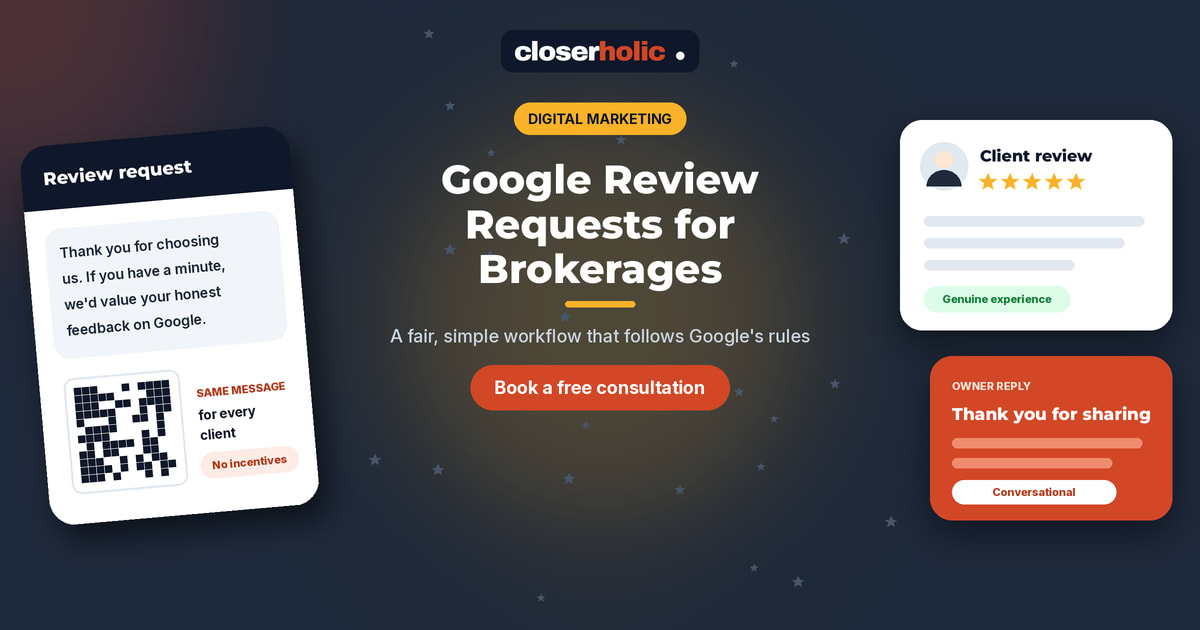
Keep it short, friendly and neutral. Do not mention stars, do not suggest what to write, and do not name the agent as something to include. An illustrative template:
"Thank you for choosing us for your move. If you have a minute, we would value your honest feedback on Google. It helps other people decide, and it helps us improve: [review link]"
Prepare an Arabic version too, so every client receives the request in their preferred language. Send it from your business channel, not an agent's personal number, so the request is recorded.
Need help building a reputation workflow that connects your website, Google profile and CRM? Book a free 30-minute consultation.
Step 4: Track requests in the CRM
A spreadsheet of "who we asked" falls apart quickly. Add a few fields to the deal or contact in your CRM:
- Review request sent (date)
- Channel (email or WhatsApp)
- Reminder sent (date, if any)
This makes sure nobody is asked three times by three different agents, and nobody is forgotten. If your CRM supports automation, the request can be triggered when a deal reaches its closing stage, so it goes to every client the same way. Our article on Bitrix24 automation rules for follow-up shows the kind of rules that make this possible. One polite reminder is plenty; after that, leave it.
Notice what is not on that list: review targets per agent. Measure the process (requests sent on time) rather than counting reviews against individuals.
Step 5: Reply to every review
Google's tips say to value all reviews, because a mix of positive and negative feedback often feels more trustworthy, and to reply as a best practice. It also advises being conversational, not promotional, and avoiding deals or promotions in your replies.
For a brokerage, that means:
- Positive review: thank them by first name, mention one genuine detail, keep it short.
- Negative review: stay calm, acknowledge the experience, and invite them to continue the conversation privately. Never argue in public.
- Privacy: do not mention prices, unit numbers, deal terms or anything the client has not shared themselves.
Decide who replies (often a manager or marketing lead) and aim to reply within a few working days.
Step 6: Learn from what people say
Reviews are free research. Once a month, read the new ones together and note recurring themes: response speed, viewing punctuality, paperwork clarity, after-move support. Feed those themes into agent training and your website copy. If you are reviewing your wider Google presence too, our Google Business Profile scorecard for UAE agencies covers the rest of the profile.
Review workflow checklist
- Review link and QR code saved from your Business Profile.
- Milestones agreed for sales, leasing, landlords and off-plan.
- One neutral message in English and Arabic, with no stars, incentives or requested content.
- Request sent to every client at the milestone, from a business channel.
- Request date and channel recorded in the CRM; one reminder at most.
- No per-agent review quotas.
- Every review answered, conversationally and without promotions.
- Monthly review of themes, shared with the team.
Honest reviews, built into the routine
A fair review workflow is not complicated. It asks everyone, asks the same way, and leaves the rating and words to the client. Built into your CRM, it runs quietly in the background while your agents focus on clients. For the bigger marketing picture, see our overview of digital marketing for UAE real estate.
Closerholic helps UAE real estate agencies with digital marketing, websites and CRM automation. If you would like to set up a review workflow that fits your team, let's talk.