Maintenance Requests in a Custom Real Estate CRM: An FAQ
👉 Book a free 30-minute Bitrix24 demo
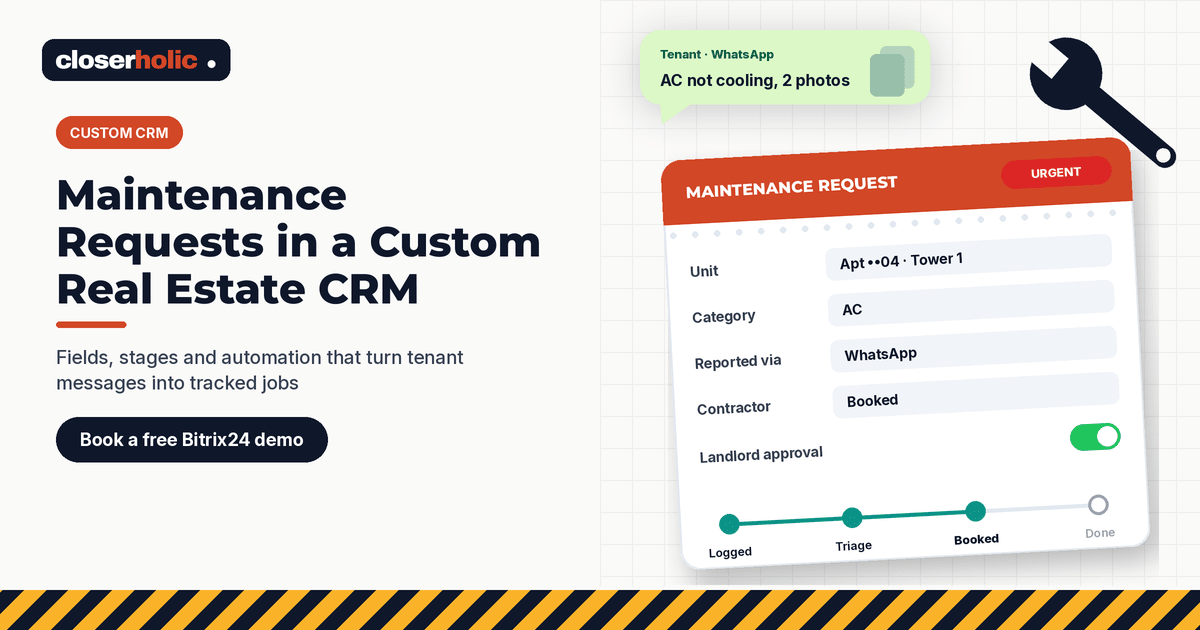
"The AC stopped working, I sent photos on WhatsApp on Sunday, and nobody has told me anything." If your agency manages properties for landlords, you have heard some version of that sentence. The request did arrive. It just landed in one person's phone, got forwarded to a contractor, and never made it into a system anyone else could see.
Maintenance is where many property management teams still run on chat groups and memory. A custom real estate CRM can give every request a record, an owner and a status. Below are the questions we hear most often when agencies plan maintenance request tracking in a real estate CRM, answered in plain terms.
1. Why not just keep using WhatsApp groups?
Chat is a fine way for tenants to report a problem. It is a poor way to manage one. In a group, nobody can see at a glance which requests are open, which are waiting for a landlord's approval, or which contractor promised to visit tomorrow. When the coordinator is on leave, the history goes with them.
The goal is not to stop tenants messaging. It is to make sure every message becomes a request that the whole team can see and close.
2. What exactly is a "maintenance request" record?
It is a separate item in the CRM, linked to the property, the tenancy, the tenant and the landlord. In Bitrix24, this kind of record is usually built with Smart Process Automation (SPA), which lets you create custom CRM items with their own fields, stages and automation. Bitrix24's own Helpdesk uses handling customer complaints as an example of what an SPA can manage, which is close to how maintenance works.
Useful fields include:
| Field | Type | Why it matters |
|---|---|---|
| Property / unit | Bind to CRM item (property) | Builds a history per unit |
| Category | List (AC, plumbing, electrical, appliance, pest control, other) | Routes to the right contractor and shows patterns |
| Priority | List (Emergency, Urgent, Routine) | Sets response expectations |
| Reported via | List (WhatsApp, call, email, inspection) | Shows where requests come from |
| Photos | File | Saves a trip for simple issues |
| Contractor | Bind to CRM item (company) | Tracks who did the work |
| Landlord approval needed | Yes/No | Stops work starting without consent |
| Quote and final cost | Money | Feeds landlord statements |
| Who pays | List (Landlord, Tenant, Under warranty, To confirm) | Avoids disputes later |
3. Which stages should the request move through?
Keep the pipeline short enough that people use it:
- Logged: the request exists, with category and priority. Bitrix24 can make a field required at a specific stage, so nothing moves on without these.
- Triage: the coordinator checks photos and decides the next step.
- Awaiting landlord approval: only for jobs that need it.
- Contractor booked: date and time agreed with the tenant.
- Work done: the contractor reports completion.
- Confirmed with tenant: the tenant agrees the issue is fixed.
- Closed or Cancelled.
SPAs in Bitrix24 support custom stages shown on a kanban board, so the coordinator sees the workload by stage. You can also use separate pipelines if, for example, you handle holiday homes differently from long-term rentals, as described in our holiday home CRM blueprint.
4. How do WhatsApp messages become requests?
If WhatsApp is connected to Bitrix24 through Open Channels, conversations already arrive in the CRM. From there, the coordinator logs a maintenance item linked to that tenant's contact and adds the photos. Our guide to WhatsApp and Open Channels in Bitrix24 covers the connection. The rule to agree: no maintenance work starts without a request record.
5. What should be automated?
The Bitrix24 Helpdesk explains that automation rules and triggers can be added to any SPA stage, to create tasks, send notifications and emails, and more. For maintenance, start with a few:
- When an Emergency request is logged, notify the coordinator and the property manager immediately.
- When a request enters Awaiting landlord approval, create a task to chase the approval if there is no answer.
- When it reaches Contractor booked, send the tenant a confirmation.
- When it reaches Work done, create a task to confirm with the tenant.
Note that in Bitrix24, automation rules work in an SPA only if you enable that option when you create it. For stage-based rules in general, see Bitrix24 automation rules for real estate follow-up.
Curious how a maintenance pipeline would sit next to your leasing deals? Book a free 30-minute Bitrix24 demo and we will sketch it with you.
6. How do we set response times without over-promising?
Write internal targets per priority, for example "Emergency: contact the tenant the same day". These are your own service levels, not legal requirements, so pick numbers your team can meet. Check your management agreements, which may already define timeframes or approval limits.
The Activities view in Bitrix24 SPAs organises items by the due dates of scheduled activities, which helps the coordinator see what is due today.
7. Who should see what?
Coordinators need everything. Leasing agents may need to see open requests on their units, without editing costs. Bitrix24 lets you control SPA access through CRM access permissions by role. Our role-by-role access permissions guide shows how to plan that.
8. How does this help with landlords?
When every request is linked to a property, you can show each landlord a clear history: what was reported, when it was fixed, what it cost and who paid. SPA items can also be exported to CSV or Excel, and you can enable document printing from templates if you want a simple job summary.
9. Does maintenance history matter at renewal time?
Yes. A tenant who waited three weeks for a repair is a renewal risk, and a unit with repeated AC faults may need a bigger conversation with the landlord. Linking requests to the tenancy keeps that context visible. Our post on tracking tenancy renewals in a custom CRM shows where it fits.
10. Where should we start?
Start small: one SPA, the fields above, the seven stages and two automation rules. Run it for a month, then review the closed requests by category and contractor. Add complexity only where the data shows a need. For when a tailored setup makes sense, read Custom CRM for Real Estate.
Closerholic designs custom real estate CRMs on Bitrix24 for UAE agencies, including property, tenancy and maintenance records and the automation around them. If repair requests still live in chat groups, book a call.