Thank-You Pages for Real Estate Websites: 6 Templates for UAE Agencies
👉 Book a free 30-minute consultation
A buyer fills in your "Request a viewing" form at 11 pm. The page flashes a small green line, "Thank you, your message has been sent", and then nothing. Did it work? Who will call? Should they also message on WhatsApp just in case? Many people do exactly that, and now your team has two enquiries for the same person, one with no context.
The moment after someone submits a form is one of the most valuable on your website, and one of the most neglected. A well-built real estate thank-you page confirms the enquiry, sets expectations, offers a useful next step and gives your tracking a reliable signal. This post covers what every thank-you page needs, six templates you can adapt, and the technical details your developer should not skip.
Thank-you page or inline message?
Some sites show a short message on the same page after a form is sent. Others send the visitor to a dedicated page. Both can work, but a dedicated page gives you more room to explain what happens next, and a distinct URL that analytics and ad platforms can use as a conversion signal. If your forms use inline messages today, you can still apply the content advice below inside the message area.
What every thank-you page needs
- Clear confirmation. "We've received your viewing request" is better than "Success".
- What happens next, with a realistic time. Only promise a response window your team can actually meet, including evenings and weekends.
- A reminder of what they asked about. The property, project or service, so they know the right enquiry went through.
- One useful next step. Not five. Pick the action that most helps this type of enquiry.
- A way to reach you. Office phone and WhatsApp, for people who prefer to talk now.
- Trust signals. Your licence details and a real office address, consistent with the rest of the site.
Six thank-you page templates for UAE agencies
1. Viewing request
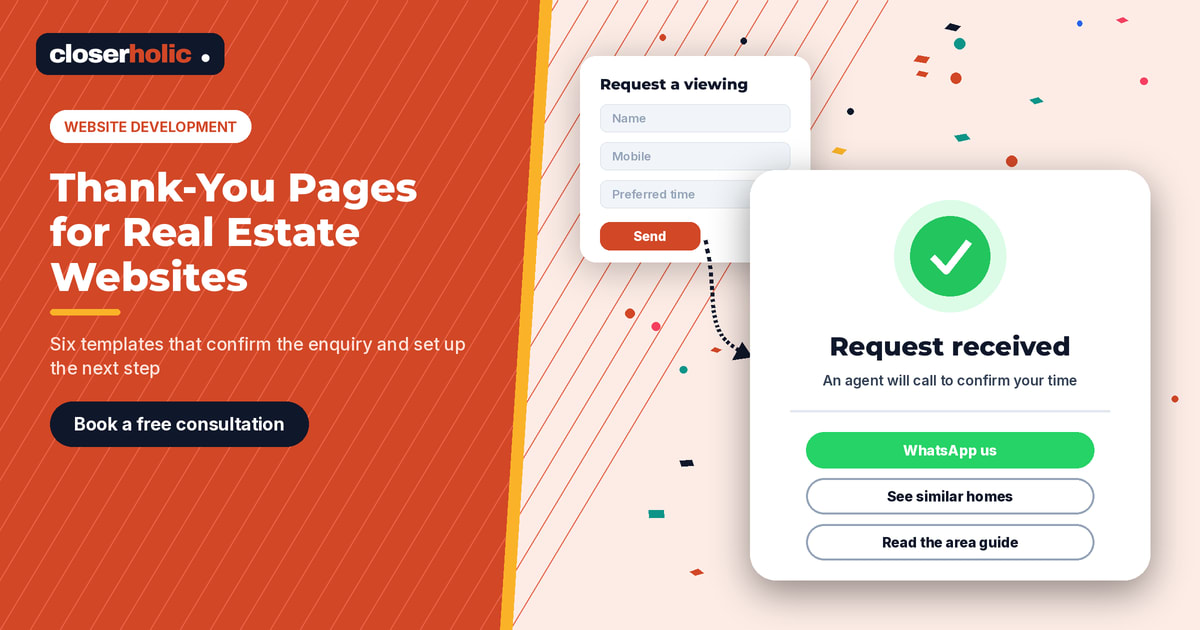
Headline: "Your viewing request is in."
Body: "An agent will contact you to confirm a time. Please keep your phone nearby. If you'd like to see similar homes in the same community while you wait, browse them below."
Next step: three similar listings from the same community and budget band.
2. Valuation request (owners)
Headline: "Thanks, we'll prepare your valuation."
Body: "A specialist for your area will call to confirm a few details about the property. Having the unit number, size and any recent upgrades ready will help."
Next step: a short guide on preparing a home for sale or rent.
3. Off-plan brochure or floor plan download
Headline: "Your brochure is ready."
Body: "Download it below. We've also emailed you a copy. An advisor can walk you through payment plans and available units if you'd like."
Next step: the download button first, then a booking link for a call.
4. Rental enquiry
Headline: "Thanks, we've got your rental enquiry."
Body: "An agent will check availability and contact you. Tell us your move-in date and preferred payment terms on the call so we can shortlist the right units."
Next step: a WhatsApp button with a pre-filled message that includes the listing reference.
5. Call-back or general contact
Headline: "We'll call you back."
Body: "Our team will reach you during office hours. If your question is urgent, you can call the office directly."
Next step: office hours, phone number and a map link to the office.
6. New-listing alert sign-up
Headline: "You're on the list."
Body: "We'll email you when homes matching your search are listed. You can change or stop these emails at any time."
Next step: a link to an area guide for the community they searched.
Not sure your website forms and CRM are working together after a lead submits? Book a free 30-minute consultation and we'll review the journey with you.
The technical checklist for your developer
| Item | Why it matters |
|---|---|
| One thank-you page per form type, or a parameter that identifies the form | So you can tell viewing requests from valuation requests in reports |
| Conversion tags fire only on the thank-you page, after a real submission | Prevents counting visits from people who land on the page directly |
| No personal details in the URL | Names, phones and emails in URLs can end up in analytics and ad tools |
| Keep thank-you pages out of search results | Use a noindex tag so people don't land there from Google |
| Pass the form source and campaign data into the CRM | So the lead record shows where it came from |
| Fast, mobile-friendly layout | Many enquiries come from phones; the confirmation should load quickly |
| Test after every website release | A broken redirect can silently stop conversions being counted |
For the campaign data piece, a consistent tagging scheme makes life easier; see our UTM naming template for UAE property campaigns.
Connect the page to your CRM follow-up
A thank-you page makes a promise. Your CRM has to keep it. If the page says "an agent will call you", make sure the lead is assigned straight away and someone is notified. If you use Bitrix24, automation rules can create a task or notify the responsible agent when a new lead arrives; our guide to Bitrix24 automation rules for real estate follow-up explains how.
It also helps to keep the wording consistent. If the thank-you page mentions WhatsApp, the agent's first message should feel like a continuation, not a cold start.
Mistakes to avoid
- A dead end. A page with only "Thank you" and no next step wastes the visitor's attention.
- Over-promising. "We'll call in 5 minutes" sounds great until a Friday evening enquiry waits until Saturday.
- Too many choices. Six buttons dilute the one action that matters.
- Forgetting mobile. Test every template on a phone, including the WhatsApp button.
- Generic copy for every form. An owner asking for a valuation needs different reassurance from a tenant asking about a studio.
Where to go next
Thank-you pages work best when the forms before them are simple and well placed. Our property search and lead forms checklist and property detail page checklist cover the steps before the submit button. If you are planning a bigger rebuild, start with real estate website development in the UAE.