Rent Cheque Tracking in a Custom Real Estate CRM: A Build Checklist
👉 Book a free 30-minute Bitrix24 demo
A landlord calls on the 3rd of the month: "Was the second cheque deposited?" Your leasing agent checks a spreadsheet, then a WhatsApp photo, then asks the office manager, who opens the safe to count envelopes. Twenty minutes later, nobody is fully sure whether the cheque was banked, returned or is still sitting in the drawer.
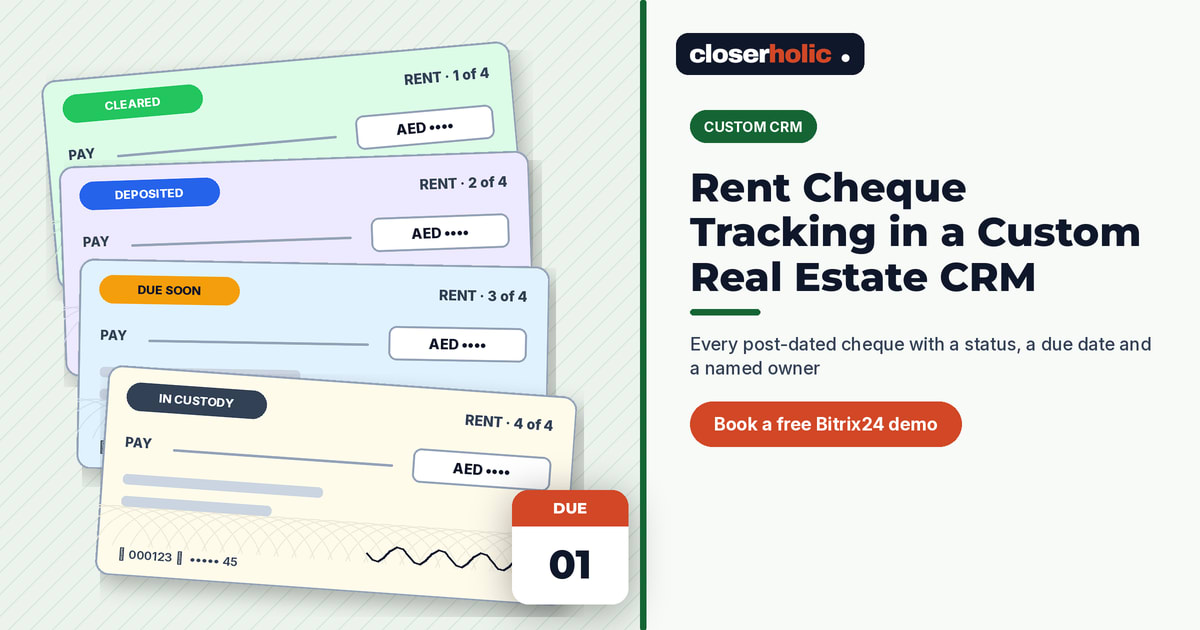
Many UAE tenancies are paid with a set of post-dated cheques, which means one lease can create several payment events across a year. If those events live in a spreadsheet, they drift away from the tenancy, the unit and the people involved. Rent cheque tracking in a custom CRM puts every cheque on the record, with a status, a due date and a named owner.
This checklist walks through the fields, stages, automations and reports you need, and shows where a Bitrix24-based setup fits.
Why spreadsheets break down
- No link to the tenancy. A row says "Cheque 3, AED amount", but not which contract, unit or landlord it belongs to.
- No custody trail. Is the original with your office, the landlord or the bank? A spreadsheet rarely says, and never says who moved it.
- No reminders. Deposit dates arrive silently unless someone remembers to look.
- Weak access control. Anyone with the file can change an amount or a date.
Checklist 1: the data model
Treat each cheque as its own record, linked to the tenancy, rather than as columns on the tenancy. That way a lease with four cheques simply has four linked items.
| Record | Key fields | Linked to |
|---|---|---|
| Tenancy | Contract reference, start and end dates, annual rent, number of cheques, payment terms | Unit, tenant contact, landlord contact, deal |
| Cheque | Cheque number, bank, amount, cheque date, sequence (1 of 4), status, custody location | Tenancy, tenant, landlord |
| Replacement | Reason, new cheque link, date agreed | Original cheque |
In Bitrix24, this kind of structure is usually built with Smart Process Automation (SPA). Bitrix24's helpdesk explains that an SPA item has its own form fields, custom stages and kanban, and can be bound to other CRM items such as deals or contacts, with a tab listing the linked items. A "Cheques" SPA bound to a "Tenancies" SPA, or to the deal, gives you that one-to-many link.
Field tips
- Use a date field for the cheque date, not text, so you can filter and report on it.
- Use a list field for bank names and custody locations, so values stay consistent.
- Store the sequence ("2 of 4") so agents can answer "which cheque?" instantly.
- Keep a scanned copy only if your policy allows it, and restrict who can open it.
Checklist 2: stages that match real life
A cheque moves through a predictable life cycle. A kanban with clear stages lets the team see it at a glance:
- Received: the tenant has handed over the cheque and an agent has logged it.
- In custody: stored in your office or handed to the landlord, with the location recorded.
- Due soon: the cheque date is close; someone owns the next step.
- Deposited: presented to the bank by the agreed party.
- Cleared: funds confirmed.
- Returned: the bank did not honour it; follow-up required.
- Replaced or cancelled: closed, linked to its replacement where there is one.
Agree in writing who deposits each cheque. Some landlords prefer to deposit themselves; others ask the agency to manage it. The CRM should record that choice on the tenancy so nobody assumes.
Want to see how a cheque tracker could sit beside your leasing pipeline? Book a free 30-minute Bitrix24 demo and we will sketch it with you.
Checklist 3: automations and reminders
Bitrix24's helpdesk notes that automation rules and triggers can be enabled for an SPA and set per stage, for example to create tasks or send notifications. For a cheque tracker, useful rules include:
- Before the cheque date: move the item to "Due soon" and create a task for the person responsible for depositing it.
- On "Deposited": create a follow-up task to confirm clearance after the period your finance team agrees.
- On "Returned": notify the leasing agent and the manager, and create a task to contact the tenant. How you handle a returned cheque is a matter for your landlord agreement and legal adviser, so keep the CRM step factual: who, what, when.
- On "Cleared": optionally prompt the agent to send the landlord a short update.
Start with two or three rules. It is easier to add reminders once the team trusts the data than to remove noisy ones.
Checklist 4: access and custody
- Edit rights: let agents create cheque records, but limit who can change amounts, dates or status after deposit. Our guide to Bitrix24 CRM access permissions shows how to plan roles.
- Custody log: each time a physical cheque moves, update the custody field and add a timeline comment.
- Monthly count: once a month, compare the "In custody" list with what is physically in the safe.
Checklist 5: reports people will actually use
| Report | Who reads it | Question it answers |
|---|---|---|
| Due in the next 14 days | Leasing team | What do we need to deposit or chase soon? |
| Returned, open | Leasing manager | Which returned cheques still need action? |
| In custody by location | Office manager | What should be in the safe right now? |
| Tenancy payment status | Agent, landlord updates | How many cheques for this lease are cleared? |
How it connects to renewals and commissions
Cheques are only one part of the leasing cycle. The last cheque date is often a natural prompt to start the renewal conversation, which our post on tracking tenancy renewals in a custom real estate CRM covers. And if your agency collects fees on lease signing, linking the deal to the tenancy keeps your figures consistent with the approach in commission tracking: spreadsheet vs custom CRM.
Quick FAQ
Should each cheque really be its own record?
Yes, if you want status, custody and reminders per cheque. Columns on the tenancy work for a single payment, but become messy at four or more.
Can we start without automations?
Absolutely. A clean data model and a kanban already beat a spreadsheet. Add rules once the team logs cheques consistently.
Is this a custom build or standard Bitrix24?
It is a configuration of standard Bitrix24 tools, such as SPA, fields, stages and automation rules, shaped around your leasing process. Read more about when that approach makes sense in Custom CRM for Real Estate.