Schema Markup for Real Estate Websites: A Practical Guide for UAE Agencies
👉 Book a free 30-minute consultation
Search engines read a property page very differently from a buyer. A buyer sees photos, a community name, the number of bedrooms and an enquiry button. A search engine sees a block of text and has to guess which part is the address, which part is the agency and whether this page is a listing, a blog post or an area guide.
Schema markup, also called structured data, removes some of that guessing. It is a small piece of code that labels the information already on your page in a standard vocabulary from schema.org. For a UAE agency website, it is one of the quieter technical jobs that makes your pages easier for search engines to understand.
This guide covers which schema types suit real estate websites, what Google's rules say, and how to keep markup accurate when listings change every week. The Google guidance quoted here comes from Google Search Central documentation; the schema.org types come from schema.org itself.
What structured data does, and what it does not
Structured data describes a page in a machine-readable way. Google supports three formats: JSON-LD, Microdata and RDFa, and recommends JSON-LD. JSON-LD sits in a script block, separate from your visible HTML, which makes it the easiest to generate from a database.
It is important to set expectations. Google states clearly that it does not guarantee your structured data will show up in search results, even if it is marked up correctly. Markup can make a page eligible for certain search features; it is not a ranking shortcut and it will not rescue thin content.
The schema types that fit an agency website
| Page | Schema type | What to describe |
|---|---|---|
| Home, About or Contact page | RealEstateAgent | Agency name, address, telephone, opening hours, logo, area served |
| Every page with a breadcrumb trail | BreadcrumbList | The path from a top section to the current page |
| Property detail pages | RealEstateListing | The listing itself, its posting date and its offer |
RealEstateAgent for the agency
On schema.org, RealEstateAgent is a type of local business. It inherits properties such as address, telephone, openingHours, areaServed and logo. Use it on the page that best represents your agency, usually the home or contact page, and make sure every value matches what visitors can see on that page and on your Google Business Profile.
BreadcrumbList for navigation
Google supports breadcrumb markup and describes it as a way to show a page's position in the site hierarchy. A BreadcrumbList needs at least two ListItem entries, each with a position and a name. Google recommends breadcrumbs that represent a typical user path rather than simply mirroring the URL structure. For a property site that might be: Properties for sale, then the community, then the listing.
RealEstateListing for property pages
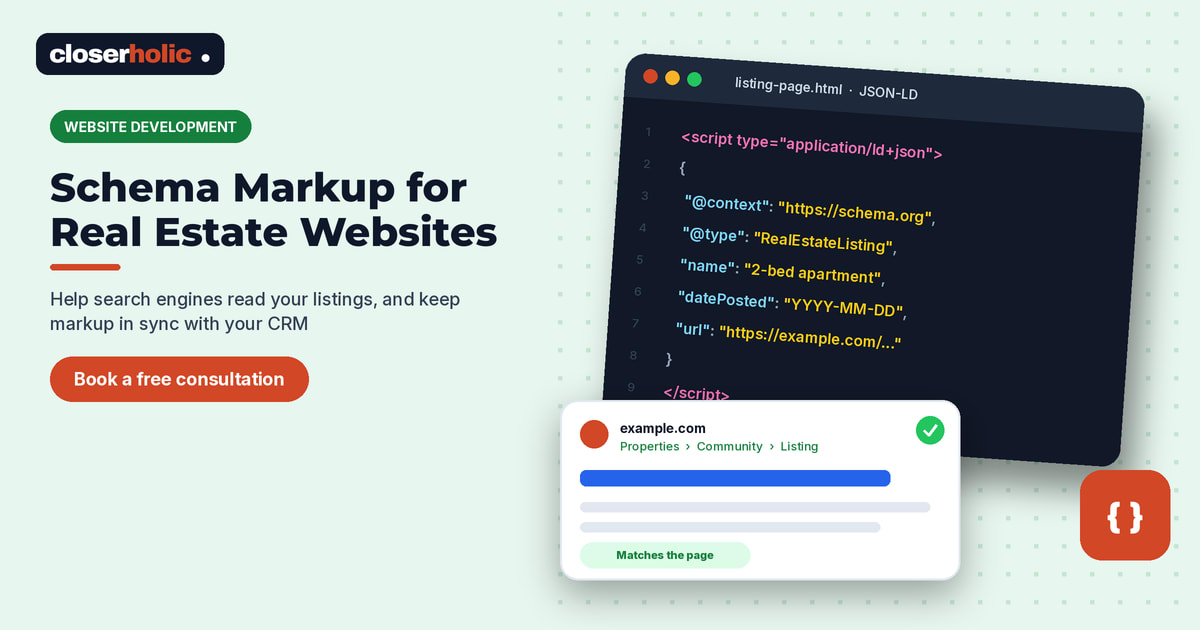
Schema.org defines RealEstateListing as a listing that describes one or more real estate offers, typically to sell or to lease, and it represents the overall listing as shown on a web page. It includes properties such as datePosted and leaseLength, and inherits general ones such as name, description, image, url and offers. Schema.org marks this type as being in its "new" area, which means definitions may still evolve, so check the page before you build.
A simplified example using placeholder values:
{
  "@context": "https://schema.org",
  "@type": "RealEstateListing",
  "name": "2-bedroom apartment for rent in [Community]",
  "url": "https://www.example.com/rent/2-bed-community-ref123",
  "datePosted": "2026-10-14",
  "image": "https://www.example.com/images/ref123-1.jpg",
  "description": "Text that matches the visible listing description."
}
Only include values that appear on the page. If the price is not shown, do not add it to the markup.
Planning a new agency website or a rebuild? Book a free 30-minute consultation to talk through your listing pages.
Google's rules that matter most for listings
Google's general structured data guidelines apply to every type. The ones that catch real estate sites most often:
- Mark up only what is visible. Google says not to mark up content that readers of the page cannot see.
- Keep it current. Google says to provide up-to-date information and that it will not show a rich result for time-sensitive content that is no longer relevant. A rented or sold listing with live-looking markup is exactly that.
- No misleading content. Google lists fake reviews and content unrelated to the page as examples to avoid. Do not add ratings you cannot back with genuine reviews shown on the page.
- Be specific. Use the most specific schema.org type and property names that apply.
- Images must be crawlable. Image URLs in the markup must be crawlable and indexable, and relevant to the page.
- Do not block the page. Pages with structured data should not be blocked by robots.txt or noindex.
Google also notes that a structured data issue can lead to a manual action, which removes eligibility for rich results but does not affect how the page ranks in web search.
Generate markup from your CRM, not by hand
An agency website might carry hundreds of listings that change status every week. Hand-written markup goes stale almost immediately. The reliable approach is to generate JSON-LD from the same data that builds the page, ideally from your CRM listing records. When a listing is updated, the page and the markup change together. When it is marked rented or sold, the template can remove the listing markup or the page itself, following the same rules you use for portals.
This is another reason to keep one source of truth for listings. If your website and your portal feeds read from the same CRM, the facts stay consistent everywhere, which also helps the community area guides and listing pages work together.
How to test before and after launch
- Validate a sample of templates with Google's Rich Results Test and fix critical errors.
- Deploy to a few pages first, then check them with the URL Inspection tool in Search Console.
- Submit or update your sitemap so new and changed pages are discovered.
- After each template change, check Search Console reports for new invalid items.
- Spot-check a recently rented or sold listing to confirm its markup was removed or updated.
Bilingual sites
If you run Arabic and English versions, each language version should carry markup in the same language as its visible content. Our guide to Arabic and English real estate websites covers the wider structure decisions.
Where to start
Add RealEstateAgent markup to your contact page and BreadcrumbList to your listing templates first; both are simple and low risk. Then add listing markup generated from your data, with removal rules for off-market properties. For the broader checklist of what a property site needs, see our overview of real estate website development in the UAE.
Closerholic builds websites for UAE real estate agencies that read listings from the CRM, so content, markup and portal listings stay in sync. If you would like a second opinion on your site's structure, book a call.