Tracking Tenancy Renewals in a Custom Real Estate CRM
👉 Book a free 30-minute Bitrix24 demo
For many UAE brokerages and property management teams, the most predictable revenue in the business is also the easiest to lose: tenancy renewals. The end date is known a year in advance. The landlord and tenant are already your clients. Yet renewals still slip, because the information lives in a spreadsheet, an agent's phone, or nowhere at all.
A standard sales pipeline is built for new deals, not for contracts that come back around every year. That is where a custom CRM setup earns its keep. This blueprint shows how to model and automate tenancy renewal tracking in a custom real estate CRM, using Bitrix24 as the example platform.
Why renewals slip through the cracks
- The original deal was closed months ago and nobody owns the follow-up.
- The agent who handled the letting has moved on.
- Landlord and tenant are contacted at different times by different people.
- Notice deadlines are remembered too late.
- When a tenant leaves, the unit is not relisted quickly, so it sits empty.
All of these are data and process problems, and all of them can be designed out.
Step 1: Give tenancies their own record
Treat each tenancy as its own object rather than an old closed deal. In Bitrix24, Smart Process Automation (SPA) lets you create a separate CRM item type with its own fields, stages and permissions, linked to other CRM records. A “Tenancy” SPA might link to:
- The tenant contact (or company, for corporate leases)
- The landlord contact
- The property record in your inventory
- The original letting deal, for history
Getting this structure right before building screens is the theme of our post on why data modelling should happen before any CRM UI build.
Step 2: Choose the fields that matter
| Field | Type | Why it matters |
|---|---|---|
| Tenancy start date | Date | Basis for the renewal cycle |
| Tenancy end date | Date | Drives every reminder and stage |
| Notice deadline | Date | Last day to propose changed terms |
| Current annual rent | Money | Starting point for renewal discussion |
| Proposed new rent | Money | What the landlord wants to offer |
| Ejari / registration number | String | Reference for the registered contract (Dubai) |
| Payment schedule | List | Number of cheques or payment terms |
| Renewal intention | List | Tenant: renew, undecided, leaving |
| Renewal owner | User | One accountable person |
A note on Dubai rules
In Dubai, tenancy contracts are registered through Ejari, and the Dubai Land Department provides a service to register or renew them. Dubai's tenancy law also says that a party wanting to change the terms of the contract at renewal, such as the rent, must notify the other party at least 90 days before the contract expires, unless they agree otherwise. That is why a “notice deadline” field deserves its own place in the CRM. Rules can change and differ between emirates, so confirm current requirements with the relevant authority or a legal adviser rather than relying on a CRM template.
Step 3: Design renewal stages
Give the Tenancy SPA its own pipeline. A simple version:
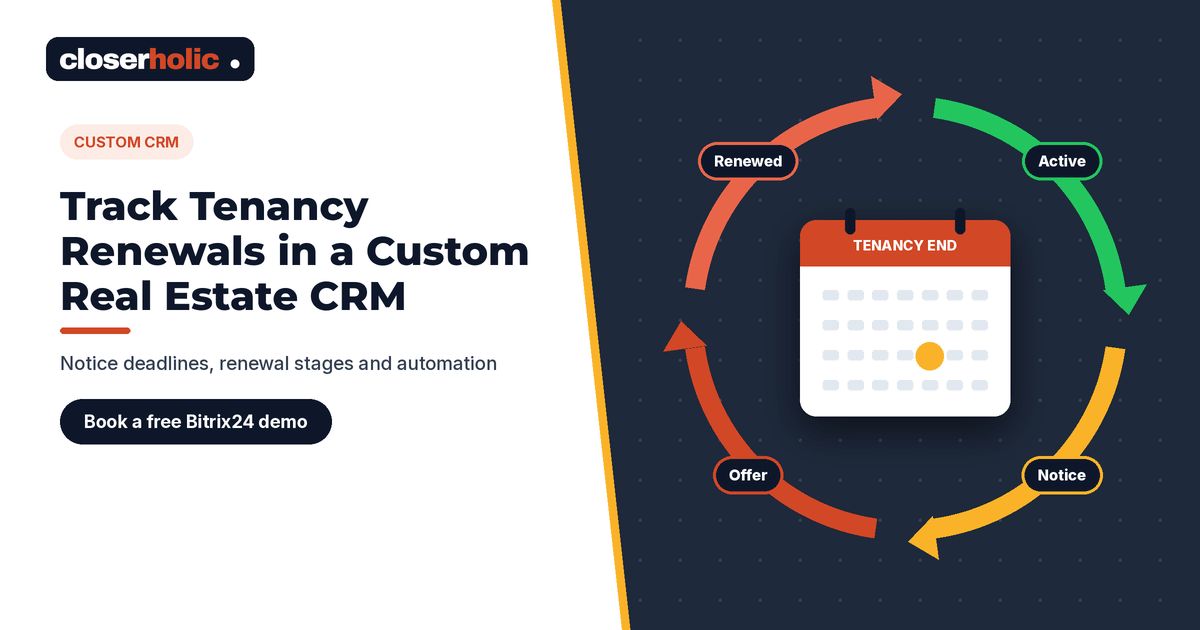
- Active – the contract is running normally.
- Renewal window open – the end date is approaching and work begins.
- Landlord terms agreed – rent and conditions for renewal confirmed with the owner.
- Offered to tenant – terms sent and acknowledged.
- Renewed – agreement reached and contract renewal handled.
- Not renewing – tenant leaving; triggers the relisting process.
Clear stages with exit criteria are the same principle we used for viewing-to-offer pipelines, applied to the other end of the customer lifecycle.
Want renewals tracked properly instead of in a spreadsheet? Book a free 30-minute Bitrix24 demo and we will sketch a renewal pipeline for your portfolio.
Step 4: Automate the timeline
Bitrix24 automation rules can run immediately, after a delay, at an exact time, or before a date, for example a set number of days before a date field. That makes them a natural fit for renewal timelines driven by the tenancy end date and notice deadline. A sample plan:
- Well before the notice deadline: move the record to “Renewal window open” and create a task for the renewal owner to contact the landlord.
- Shortly before the notice deadline: remind the owner and their manager if landlord terms are still missing.
- After terms are agreed: create a task to present them to the tenant, and notify the tenant by email or message if that is part of your process.
- If the tenant is leaving: create a task for the listing team to prepare the unit for marketing.
Rules can also respect your company's working hours. Bitrix24 advises against running delayed automation on a very large scale, so keep the number of timed rules sensible and test them in the automation test mode before switching on. For more on rule design, see our guide to Bitrix24 automation rules for real estate follow-up.
Step 5: Connect non-renewals to relisting
A tenant leaving is a new listing opportunity. When a tenancy moves to “Not renewing”, the linked property record can change status so the listing team prepares photos, permits and copy in good time. If your CRM publishes to portals, the unit can go live as soon as it is approved. Our article on keeping listings synced across Property Finder, Bayut and Dubizzle covers what happens next.
Step 6: Report on what matters
With renewals in their own pipeline, managers can see at a glance:
- Tenancies ending in the next three months and their current stage
- Records past the notice deadline without landlord terms
- Renewed versus not renewing over a period
- Units heading back to market and when
No invented benchmarks needed: your own pipeline becomes the measure, and you can improve it month by month.
Is this worth customising?
If you manage only a handful of tenancies, a calendar reminder may be enough. If renewals are a meaningful part of revenue, or you manage units for many landlords, a dedicated tenancy object is often worth the setup effort, because missed deadlines are costly. For the broader decision, see when a custom CRM for real estate makes sense.
How Closerholic helps
Closerholic designs custom real estate CRM setups on Bitrix24 for UAE agencies and property managers. We model tenancies, landlords and units, build renewal pipelines and timed automation around your process, and link non-renewals to listing and portal workflows, so recurring revenue stops depending on memory.