UTM Naming Template for UAE Property Campaigns
👉 Book a free 30-minute Bitrix24 demo
Your marketing team runs a Google campaign for a new off-plan launch, a Meta campaign for rentals, a LinkedIn post for investors and a QR code on a brochure for an open house. A month later, the CRM shows a pile of new leads, and most of them say the same thing in the source field: “Website”. Which campaign actually produced viewings? Nobody can say.
The fix is not a new tool. It is a simple, shared habit: tagging every link with consistent UTM parameters, and making sure those tags reach your CRM. This post gives UAE property marketers a ready-to-use UTM naming template, examples for common channels, and the rules that keep the data clean.
A quick refresher: the five UTM parameters
UTM parameters are small labels added to the end of a link, after a question mark. Analytics tools and CRMs read them to understand where a visitor came from. There are five standard ones:
- utm_source: the platform or sender, such as google, meta, linkedin or newsletter.
- utm_medium: the type of traffic, such as cpc, paid-social, email or qr.
- utm_campaign: the campaign name, such as a project launch or a monthly rental push.
- utm_term: usually the keyword, mainly for search ads.
- utm_content: extra detail, such as which ad, creative or button was clicked.
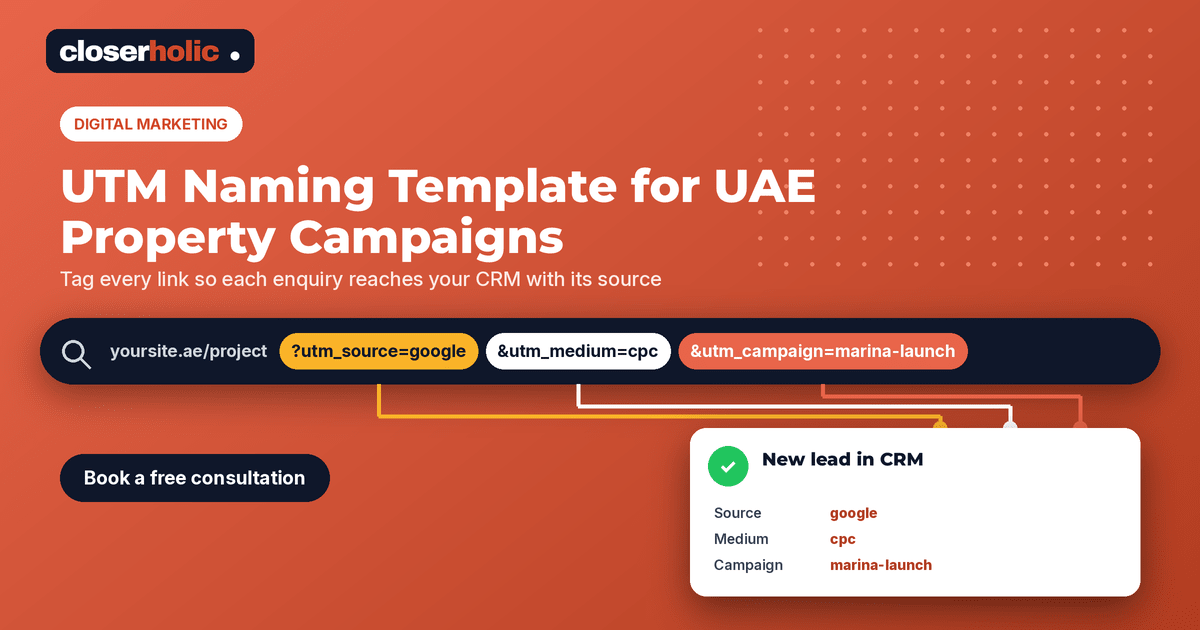
For example: https://example.com/project?utm_source=google&utm_medium=cpc&utm_campaign=marina-launch-oct
Five naming rules that keep data clean
- Lowercase only. “Google” and “google” can show up as two different sources in reports.
- Hyphens, not spaces. Spaces turn into messy encoded characters in links.
- A fixed list for source and medium. Agree the allowed values once and do not improvise. One team writing “fb”, another “facebook” and a third “meta” splits your reporting three ways.
- A predictable campaign pattern. We suggest
project-or-offer_audience_month-year, for examplecreek-villas_investors_oct-2026. - One owner and one sheet. Keep the template in a shared spreadsheet, and have one person approve new values.
The UTM naming template
Copy this table into your shared sheet and adapt the values to your channels.
| Channel | utm_source | utm_medium | utm_campaign example | utm_content example |
|---|---|---|---|---|
| Google search ads | cpc | marina-launch_buyers_oct-2026 | ad-2bed-payment-plan | |
| Meta ads to a landing page | meta | paid-social | jvc-rentals_tenants_oct-2026 | video-tour-v1 |
| LinkedIn organic post | social | investor-guide_investors_oct-2026 | company-page | |
| Email newsletter | newsletter | new-listings_database_oct-2026 | hero-button | |
| WhatsApp broadcast link | messaging | open-house_past-enquirers_oct-2026 | broadcast-1 | |
| Brochure or signboard QR code | qr | open-house_walk-ins_oct-2026 | brochure-back |
These are examples, not rules from any platform. What matters is that your team uses the same values every time.
Make sure the tags reach your CRM
UTM tags are only half the job. If your website form drops them on the way to the CRM, you are back to “Website” as the source. Check three things:
1. Forms capture the parameters
Your form should read the UTM values from the page address and save them with the enquiry. In Bitrix24, CRM forms support hidden fields that can be filled from parameters in the form link, so details like the campaign can be stored on the lead without the visitor seeing them.
2. Sources are set up in the CRM
Bitrix24's Sales Intelligence tool tracks where customers come from using UTM parameters. You create a source, set its UTM parameter, and when someone arrives through a tagged link and submits a form, the CRM records the source. Visits that do not match a configured source appear as other traffic, which is a useful signal that your tagging has gaps.
3. Native lead forms are handled separately
Some ad platforms let people submit a lead form without ever visiting your website. In that case your site's UTM tags never come into play, so campaign details need to travel through the integration that brings those leads into your CRM. Agree how each such channel will be labelled so it lines up with the template above.
Not sure your campaign data is reaching your CRM? Book a free 30-minute consultation and we will check your tagging and form hand-off with you.
Common mistakes to avoid
- Tagging internal links. Do not add UTM parameters to links between pages on your own website. They can overwrite the original source of the visit.
- Reusing last month's campaign name. Fresh campaigns deserve fresh names, or your reports will blend two periods together.
- Forgetting offline channels. QR codes on signboards, brochures and exhibition stands can carry UTM tags too. Use a short link if the full address is too long for the QR code.
- Tagging portal links you do not control. Property portal enquiries usually reach you through the portal's own lead flow, so track them with a portal source in the CRM rather than UTMs. Our guide to bringing portal leads into Bitrix24 covers that side.
- Nobody checks. Spend fifteen minutes each week scanning new leads for missing or odd source values.
What good tagging lets you answer
Once tags flow through consistently, your CRM can start answering the questions that matter to a brokerage owner: which campaigns produce viewings and not just form fills, which audiences turn into deals, and where budget should move next month. That is when comparisons like Google Ads versus Meta Ads for UAE property leads become decisions based on your own data rather than opinion.
It also makes follow-up smarter. If you know a lead came from an investor-focused campaign, your agents and your nurture emails can speak to that interest from the first message.
A simple rollout plan
- Agree the source and medium list in one short meeting.
- Publish the template sheet and name its owner.
- Check every website form passes UTM values into the CRM.
- Set up matching sources in your CRM analytics.
- Tag every new campaign link from today; do not try to fix the past.
- Review source data weekly for the first month, then monthly.
How Closerholic helps
Closerholic provides digital marketing services for UAE real estate businesses and connects campaigns to Bitrix24 CRM, so every enquiry carries its source and every campaign can be judged on results. If you would like a tagging template set up for your team, we are happy to help.