Price Changes on Property Portals: 10 Questions for UAE Agencies
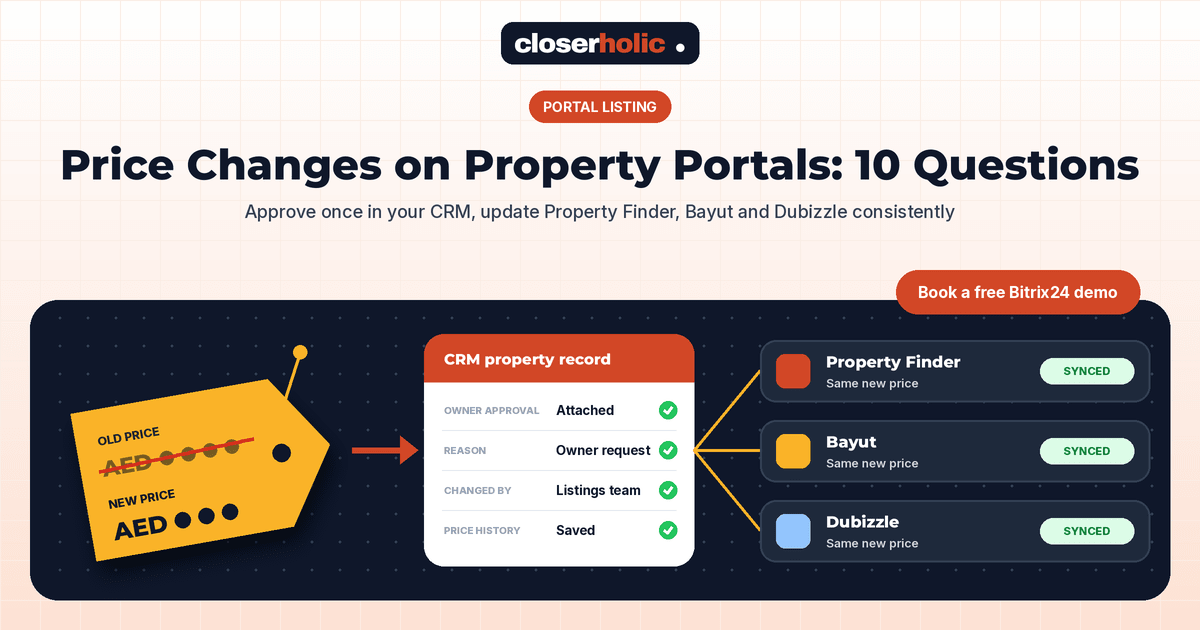
👉 Book a free 30-minute Bitrix24 demo
A landlord calls on Thursday afternoon: "Drop the rent on my apartment, it's been quiet." The agent edits the price on one portal from their phone, forgets the second, and the website still shows last month's figure. By Saturday, a tenant turns up to a viewing quoting the old price, and nobody is sure which number is correct.
Price changes look like the smallest edit you can make to a listing. In practice they touch the owner, the agent, every portal, your website and every buyer or tenant who has already enquired. This FAQ explains how to handle listing price changes on property portals from your CRM, so the new price is approved, consistent and communicated. The advice is general good practice; always follow each portal's own rules and your compliance team's guidance.
1. Who is allowed to change a listing price?
Only the owner, or someone the owner has authorised, can decide the price. Inside your agency, decide who is allowed to enter that change. A common setup is that the listing agent requests the change and a listings coordinator or manager applies it. Record the owner's instruction (an email, a signed form or a message) on the property record in the CRM, so there is never a debate about who agreed to what.
2. Should we edit the price in the CRM or directly on the portal?
In the CRM, every time. If your listings are published from the CRM to Property Finder, Bayut and Dubizzle, the CRM is your single source of truth. Editing a portal dashboard directly creates a mismatch, and the next sync may overwrite the change or leave two prices live in different places. Our guide on keeping listings synced across Property Finder, Bayut and Dubizzle explains why one source matters.
3. What should we record when a price changes?
Treat the price as a field with a history, not a single number you overwrite. Useful fields to keep on the property record:
- Current price and previous price
- Date of change and who applied it
- Reason, from a short list such as "owner request", "market feedback", "correction" or "terms changed"
- Owner approval, with the document or message attached
- For rentals, the payment terms (for example, number of cheques), because a change in terms can matter as much as a change in the figure
With this history, an agent can answer "Has the price moved?" in seconds, and managers can see which listings needed several reductions.
4. How quickly will the new price appear on the portals?
That depends on how your CRM connects to each portal. Some integrations push changes soon after you save, while others run on a schedule. Find out the timing for your own setup and share it with agents, so nobody promises a buyer "it's updated already" when the portal still shows the old figure. After a change, check each portal and your website once to confirm the new price is live.
5. Is it a good idea to delete the listing and re-post it as new?
It can be tempting, because a re-posted listing may look fresh. We advise against it. You lose the listing's history in your own reports, buyers who saved the old listing may see what looks like a duplicate, and re-posting the same property can conflict with portal listing rules. Check the policy in your portal account before trying anything like this. A genuine price change on the existing listing is cleaner and easier to explain.
6. Do we need to check permits or references before changing the price?
Possibly. In the UAE, property advertising is regulated, and the rules depend on the emirate and the type of listing. If the listing carries an advertising permit or reference that is tied to its details, ask your compliance team whether a price change needs anything updated before it goes live. Add this as a checklist item on the price-change task so it is never skipped.
Want price changes to flow from one approved record to every channel? Book a free 30-minute Bitrix24 demo and we will show you how it can work.
7. How do we tell buyers and tenants who already enquired?
This is where a CRM earns its keep. Everyone who enquired about the property, viewed it or matched its criteria is already linked to it. When the price drops, the listing agent can review that list and send a short, personal note such as: "The owner has updated the price on the apartment you viewed. Would you like to take another look this week?"
Keep it personal and selective. Contact people who showed real interest, respect their communication preferences, and log every message on their record. If you use email follow-ups, our FAQ on property lead nurture emails covers tone and timing.
8. Should the price be identical on every portal and on our website?
Yes. Different prices for the same property across channels confuse buyers and damage trust in your brand. If an owner has agreed different terms for different situations, such as a different price for a shorter tenancy, describe that clearly in the listing text rather than showing two headline prices.
9. How often is too often?
Frequent small changes can make a listing look unstable and train buyers to wait for the next cut. A better rhythm is to agree a review point with the owner, for example after a set number of viewings or weeks, and to bring evidence to that conversation: enquiries, viewing feedback and comparable listings. A weekly listing review, as described in our listing approval workflow, is a natural place to decide.
10. What else should change when the price changes?
Check the whole listing, not just the number:
- Does the title or description mention the old price or a phrase like "best price in the building"?
- Do brochures, PDF listing packs or social posts still show the old figure?
- Is the property still in the right price band for any saved searches or matching rules in your CRM?
- Has the agent's commission estimate on the deal been updated?
A simple price-change checklist
- Owner instruction received and attached to the property record.
- Change requested by the agent and approved by the listings coordinator.
- Compliance check completed where needed.
- New price, previous price, date, reason and author saved in the CRM.
- Portals and website checked after the sync.
- Interested buyers or tenants reviewed and contacted personally.
- Brochures and other materials updated.
Make the CRM do the remembering
A good setup turns this checklist into a routine. When an agent requests a price change, the CRM can create the approval task, remind the coordinator, keep the price history and give the agent a list of people to contact. If you are new to publishing from a CRM, start with how to publish listings from CRM to Property Finder, Bayut and Dubizzle.
Closerholic sets up Bitrix24 and custom real estate CRMs for UAE brokerages, including listing workflows and portal integrations. If you would like to see how price changes could be handled in your own system, let's talk.