Listing Refresh Routine: Keeping Portal Listings Fresh from Your CRM
👉 Book a free 30-minute Bitrix24 demo
Most agencies put real effort into creating a listing. Far fewer have a routine for what happens afterwards. Weeks later, the price in the CRM has changed but the portal still shows the old one. The best photo never made it online. The description mentions a tenant who moved out a month ago. A buyer notices, trusts you a little less, and moves on.
This guide gives UAE brokerages a simple listing refresh routine: a weekly, monthly and as-needed rhythm that keeps your listings on Property Finder, Bayut and Dubizzle accurate and current, with your CRM as the single source of truth. It is deliberately generic. Each portal has its own rules, formats and options, so always check the current requirements in your own portal account and agreement.
What "fresh" really means
A fresh listing is not simply a recent one. It is a listing where everything a buyer can see is true today. That covers five things:
- Availability: the unit is genuinely still on the market.
- Price and terms: the figures match your agreement with the owner.
- Photos and media: the images show the property as it is now.
- Description: the text reflects current condition, features and any changes.
- Contact route: the right agent and number are attached, so enquiries reach someone who can answer.
Why the CRM should lead
When agents edit listings directly on each portal, the CRM and the portals drift apart. A better habit is to change the CRM record first and then publish the change outward. That way your internal data, owner updates and portal content come from one place. Our guide to keeping listings synced across Property Finder, Bayut and Dubizzle explains the idea, and our earlier post on publishing listings from CRM to property portals covers the basics.
Bitrix24's Smart Process Automation lets you create custom CRM items with their own fields, stages and access permissions, and its own documentation gives a real estate property database as an example. A property record with a "last reviewed" date is a natural place to run this routine from.
The weekly refresh (about 20 minutes per agent)
Once a week, each agent reviews their live listings with a short checklist:
- Confirm availability. Is every listing still available? Contact owners where you are unsure.
- Check the price. Does the portal price match the CRM and the latest owner instruction?
- Review enquiries. Are people asking the same question repeatedly, such as parking, service charges or pets? If so, add the answer to the description.
- Scan the first photo. It is the one most buyers see first. Is it still the strongest image?
- Record the review. Update the "last reviewed" date in the CRM so managers can see what has been done.
Weekly reviews catch small errors before they become embarrassing ones.
The monthly refresh (about 45 minutes per portfolio)
Once a month, go deeper. A coordinator or team lead can run this with each agent:
- Re-shoot or replace weak photos. Look for dark images, clutter, outdated furnishings and photos from a different season or condition.
- Rewrite stale descriptions. Lead with what buyers care about for that property, and remove phrases that no longer apply.
- Compare similar listings in your own portfolio. Make sure two units in the same building are not described inconsistently.
- Talk to owners about price. If a listing has had steady interest but no movement, discuss adjusting price, condition or timing. Support your suggestion with the enquiry and viewing records in your CRM, not guesswork.
- Check listing performance. Use your own weekly reporting to see which listings attract attention. Our 5 mistakes when listing from CRM to UAE property portals may help you spot patterns.
Event-driven updates: do these the same day
Some changes should never wait for a weekly review. Agree a rule that these events trigger an immediate CRM update and portal change:
- Sold, rented or withdrawn: take it down promptly so you do not field enquiries for something unavailable.
- Price change: update the CRM, then the portals, then tell the owner it is done.
- New exclusive or open agreement: check how it affects where and how you may advertise. See exclusive vs open listings.
- Tenant moves out or property is vacated: update availability, photos and viewing instructions.
- Renovation or furnishing changes: replace photos and revise the description.
Make it visible with a simple status
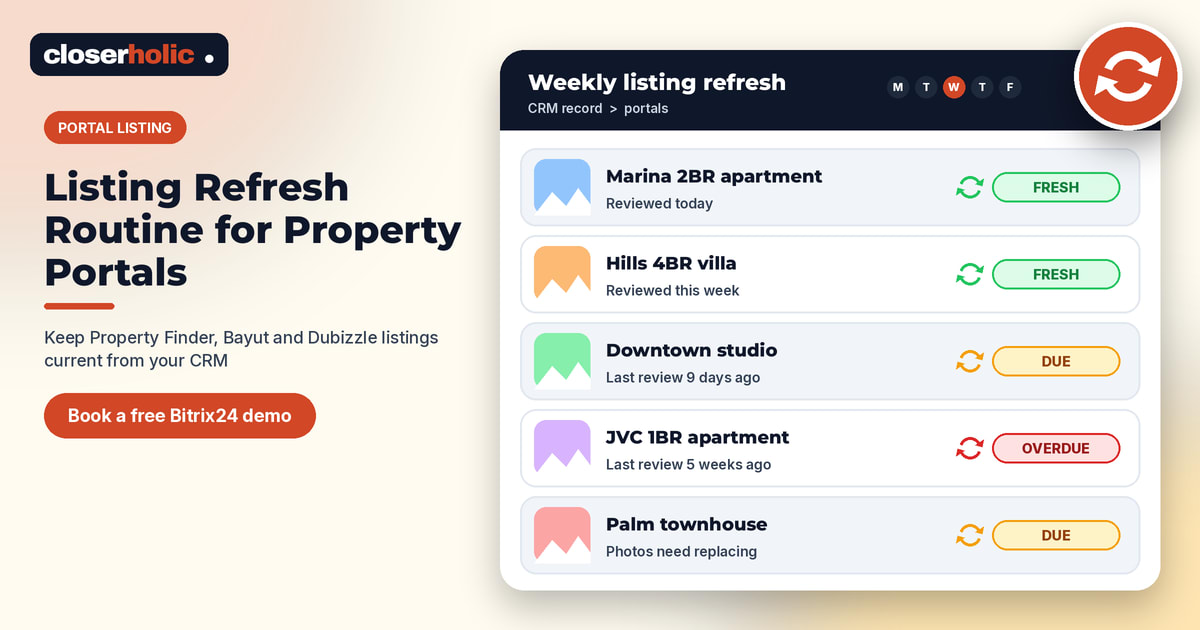
Teams follow routines they can see. Add a simple freshness status to your CRM property record, driven by the "last reviewed" date. For example:
| Status | Rule you set | What happens |
|---|---|---|
| Fresh | Reviewed within the last week | Nothing needed |
| Due | Reviewed more than a week ago | Agent receives a reminder task |
| Overdue | Reviewed more than a month ago | Manager is notified |
The intervals are your choice. Bitrix24 automation rules and triggers can create tasks and send notifications at stages, so the reminder lands in the agent's normal task list. Our post on Bitrix24 automation rules for real estate follow-up has related ideas.
Keep the language consistent
Teams often mean different things by words such as "available", "reserved" and "off market". Agree definitions once and use them in the CRM and in portal updates. Our CRM-to-portal listing glossary is a useful starting point.
Start small
You do not need to rebuild your process this week. Pick one team, add a "last reviewed" field, run the weekly checklist for a month, and see what you learn. Then add the monthly review and the automated reminders.
Closerholic helps UAE and GCC real estate teams set up Bitrix24 as the control centre for their listings, including connecting listing data to Property Finder, Bayut and Dubizzle. We can help you design the property record, the freshness statuses and the reminders, and train your team on the routine. If you would like to see how it could work for your agency, a short demo is the quickest way to find out.