Negative Keywords for UAE Property Google Ads: A Starter List
👉 Book a free 30-minute consultation
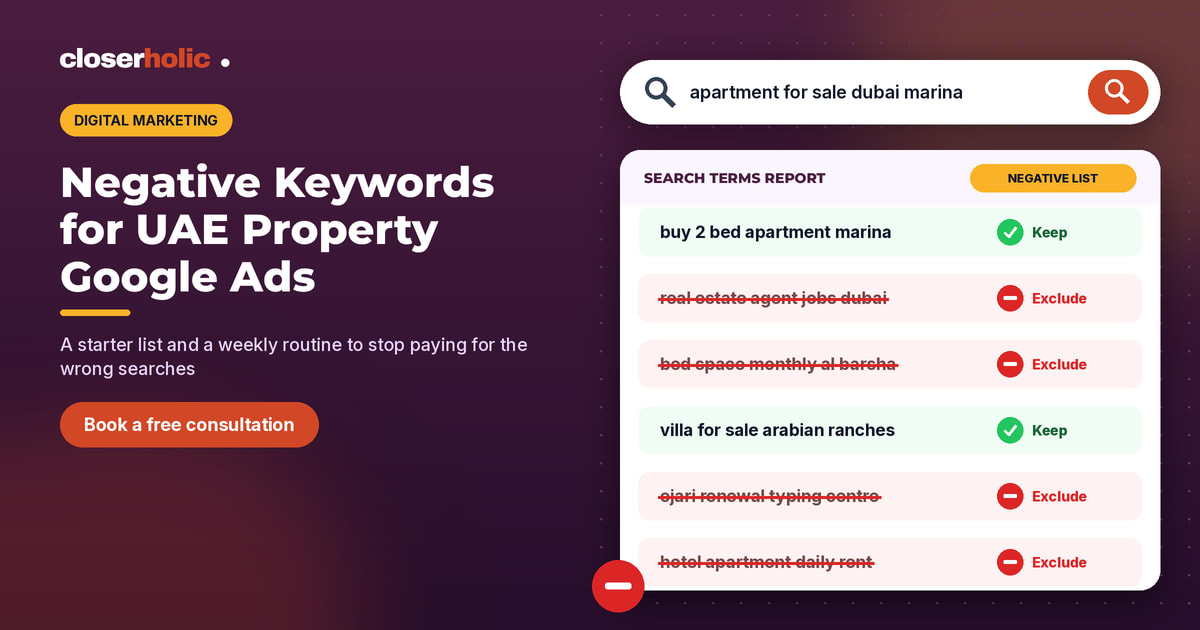
Your Google Ads report says the property campaign spent its budget by Thursday afternoon. Your sales team says the leads were thin: one person wanted an agent job, another was looking for a monthly room share, and a third typed "Ejari renewal" and wanted a typing centre, not a brokerage.
None of those clicks were your ad's fault. They were searches your campaign was allowed to match. Negative keywords for property Google Ads are how you tell Google which searches you do not want to pay for. This post gives you a starter list built for UAE real estate, explains how the match types behave, and shows a simple weekly routine for keeping the list sharp.
What negative keywords do (and what they don't)
A negative keyword stops your ad from being eligible for searches that contain it. According to Google Ads Help, Search campaigns support three negative match types, and they behave differently from normal keywords:
- Negative broad match (the default): your ad won't show if the search contains all of the negative terms, in any order. If the search contains only some of them, the ad may still show.
- Negative phrase match: your ad won't show if the search contains the terms in the same order, even with extra words around them.
- Negative exact match: your ad won't show only when the search is exactly those terms, in that order, with no extra words.
Two details catch many teams out. First, negative keywords do not match close variants, so if you want to block both "job" and "jobs", add both. Google notes that casing and misspellings are handled for you, but synonyms and singular or plural forms are not. Second, Google warns that too many negatives can shrink your reach, so every term on the list should earn its place.
The starter list for UAE property campaigns
Treat the groups below as a starting point, not a copy-and-paste block. Each brokerage sells and leases different stock, so read every term and ask: "Could a real client use this word?" If yes, leave it out.
1. Jobs and careers
Property searches attract job seekers, especially in a market with many agencies hiring.
- jobs, job, vacancy, vacancies, hiring, careers, salary, internship, recruitment
- "real estate agent course", "broker training", "commission split"
2. Wrong tenancy type for the campaign
Mixing sales and leasing intent is one of the biggest sources of wasted clicks. Keep separate lists per campaign type:
- For sales campaigns: rent, rental, monthly, "per month", sharing, "bed space", partition, roommate, "room for rent"
- For leasing campaigns: "for sale", buy, resale, mortgage, "off plan", "payment plan"
3. Short stays and hotels
Unless you run holiday homes, block hotel-style intent: hotel, hostel, staycation, "daily rent", "weekly rent", "per night", resort.
4. Admin and government services
Many people search for tenancy and utility admin rather than an agent. Consider: "Ejari renewal", "Ejari typing", "DEWA bill", "tenancy contract download", "RERA complaint", "rental dispute". Keep these phrase-matched so you do not accidentally block someone searching for an agent who can help with a new tenancy.
5. Do-it-yourself and research searches
Words such as template, pdf, wiki, definition, meaning, "how to become" and news often signal research, not buying. Be careful with "free": "free valuation" might be exactly the lead you want, so block specific phrases ("free template", "free pdf") rather than the single word.
6. Property types and areas you don't handle
If you never deal in warehouses, labour accommodation, plots or commercial units, add those terms. Do the same for emirates or communities your team does not cover. This list is unique to you, so build it with your sales manager rather than guessing.
7. Portal and brand navigation
Some searchers want to log in to a portal or find a different section of a classifieds site. Phrase-match terms such as "login", "app download", "customer care number", and category words like cars, motors and jobs that appear next to classifieds brand names. Do not block the portal names themselves without testing, because searchers comparing listings may still be useful prospects.
Want a second pair of eyes on your property campaigns and how the leads land in your CRM? Book a free 30-minute consultation with Closerholic.
Where to put negative keywords
Google Ads lets you add negatives at different levels. A simple structure for a brokerage looks like this:
| Level | Use it for | Example |
|---|---|---|
| Account-level list | Terms you never want, anywhere | jobs, salary, internship |
| Shared negative keyword list | Themes reused across several campaigns | "Leasing intent" list applied to all sales campaigns |
| Campaign | Rules for one campaign only | Communities a project campaign should ignore |
| Ad group | Steering searches between ad groups | Keep "villa" searches out of an apartments ad group |
Google's help pages describe creating a list from the Negative keywords tab under Keywords and applying lists to several campaigns from Tools → Exclusion lists → Negative keyword lists. Google also describes account-level negatives, which apply across eligible Search and Shopping inventory. Menus change from time to time, so check the current Google Ads Help if a path looks different in your account.
A 20-minute weekly routine
- Open the search terms report. Google's help places it under Search terms in the Campaigns menu. It shows actual searches that triggered your ads. Turn on the Keyword column (it is hidden by default) to see which keyword matched.
- Sort by cost, then by clicks. Start where the money went.
- Mark three buckets: keep, add as a keyword, or add as a negative.
- Choose the match type deliberately. Use phrase match for multi-word ideas ("bed space") and exact match when only one precise search is the problem.
- Decide the level. Account list, shared list, campaign or ad group, using the table above.
- Write a one-line note. Record the date, the term and why, so the next person understands the decision.
Use your CRM to find hidden waste
The search terms report shows what people typed. Your CRM shows what happened next. When agents mark a lead as junk or "not a client" with a clear reason, such as job seeker, wrong emirate or wants a room share, you can compare those reasons with the campaign and keyword that brought the lead in. Consistent tracking parameters make this much easier; our UTM naming template for UAE property campaigns shows a simple scheme.
If junk leads cluster around one keyword, the fix might be a negative keyword, a tighter match type, or a landing page that sets clearer expectations. Our guide to ad-to-landing-page message match covers the page side.
Common mistakes to avoid
- Blocking a word your clients use. "Cheap" or "affordable" may be poor terms for a luxury team but good ones for a leasing desk.
- Forgetting plurals. Negatives don't cover close variants, so add "villa" and "villas" if you need both gone.
- Copying one list to every campaign. Sales and leasing need different lists.
- Never reviewing. Markets, launches and seasons change search behaviour. A list that was right in spring may block good searches by autumn.
Next steps
Start with the jobs list and the wrong-tenancy list, because they are usually the quickest wins. Then add the weekly routine to someone's calendar. If you are still deciding where to spend, our comparison of Google Ads vs Meta Ads for UAE property leads and our overview of digital marketing for UAE real estate are good next reads.